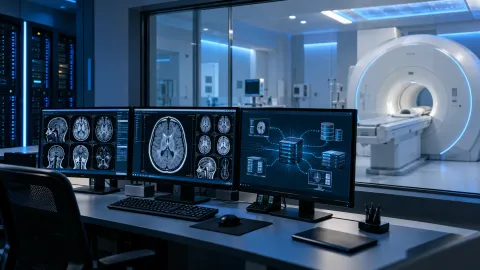
Implementing a new PACS/RIS, or migrating imaging data and workflows from an existing system, touches almost every part of a healthcare provider's clinical operation. Get it right and the change is barely noticeable to clinical staff; get it wrong and it disrupts reporting, referrals and patient care. This guide sets out what a well-run PACS/RIS implementation or migration project typically involves.
Start with assessment and planning
Before any technical work begins, a proper implementation starts with understanding:
- What's being replaced or upgraded, and why — performance, vendor support, integration needs, or growth
- What data exists in the current system, its volume, and its condition (complete records vs. gaps or inconsistencies)
- Which other systems PACS/RIS needs to integrate with — referrer portals, third-party reporting, other clinical software
- Who the end users are, and what their day-to-day workflow actually looks like today
Skipping this step can lead to decisions being revisited later, increasing cost and delay.
Deployment and integration
Once the plan is set, deployment covers configuring the new (or upgraded) PACS/RIS environment itself, and building the integrations it depends on:
- Server, storage and network configuration sized for imaging workloads
- Integration with referrer systems, worklists and any third-party reporting services
- User accounts, permissions and workflow configuration matched to how the department actually works
Data migration: the part that needs the most care
Migrating existing imaging data and records into a new or upgraded system is often one of the highest-risk parts of the project, because:
- Volumes can be very large, and migration needs to complete within a realistic maintenance window
- Data integrity has to be verified — a migration that "completes" without errors isn't the same as one that's verified complete and correct
- Historical studies still need to be accessible and correctly linked to patient records afterwards
A sensible migration approach typically involves a test migration first (on a representative subset of data), validation of that test, and only then a full migration with a clear rollback plan if something doesn't go as expected.
Testing before go-live
Before any go-live, the system should be tested against real clinical workflows, not just technical checklists:
- Can staff complete a full study — from acquisition through to report — without workarounds?
- Do integrations with referrer systems and third-party reporting actually work end to end?
- Does migrated historical data display and link correctly?
Go-live and cutover
A cutover plan should minimise disruption to ongoing clinical activity — this usually means careful timing (often outside peak clinical hours), a clear communication plan for staff, and a defined point of contact for anything that comes up in the first few days.
Ongoing support
PACS/RIS systems need ongoing attention after go-live — software updates, performance monitoring, and a support route for day-to-day issues. This is where an ongoing managed support arrangement matters: problems that would otherwise fall to already-busy clinical or IT staff instead have a clear place to go.
Bringing it together
PACS/RIS implementation and data migration is not a single event — it's assessment, deployment, migration, testing and go-live, each depending on the one before it. HighTech IT works with Philips PACS/RIS specifically, covering this full journey from planning through to ongoing support. See Philips PACS/RIS & Radiology Informatics and PACS/RIS Implementation & Support for more detail.
Frequently asked questions
How long does a PACS/RIS migration usually take? This depends on data volumes, the complexity of integrations involved, and how much testing the organisation wants before go-live — it needs assessing on a case-by-case basis rather than assumed from a general timeline.
Is downtime unavoidable during migration? A well-planned migration aims to minimise disruption, often using a test migration and a planned cutover window, but the right approach depends on the specific systems and data involved.
Can historical imaging data always be migrated? Historical imaging data can often be migrated, but the approach depends on the age, format, condition and accessibility of the source data.
If you're planning a PACS/RIS implementation or migration and want to talk through the approach, book a free consultation with HighTech IT.